Key Information
From 7 January 2026, Cloudbooking is upgrading Workplace Analytics to provide a faster, more intuitive way to access and explore data.
Click here for an interactive demo
Quick Content Links
What’s Changing
Accessing Work Analytics
Refining Results
Saving Answers
Favouriting Content
What’s Changing?
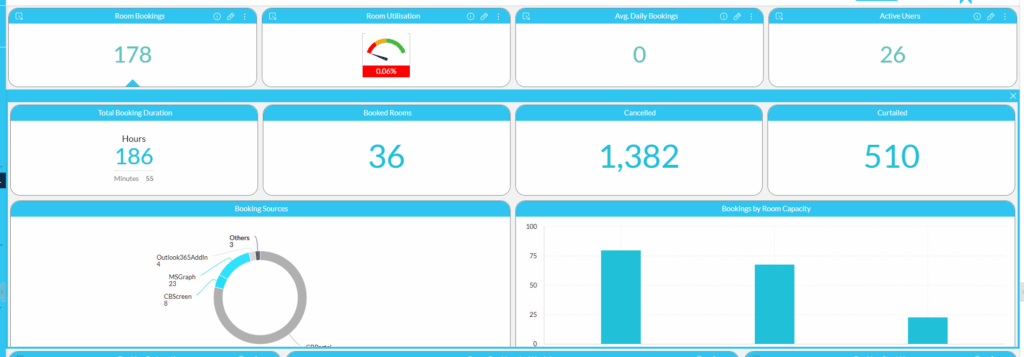
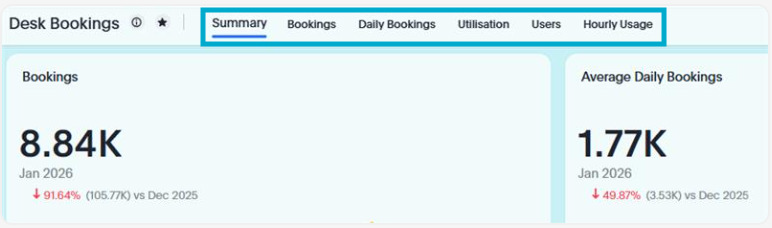
Accordions and Sub-dashboards are now replaced with separate tabs in each dashboard.
Previous
Upgrade
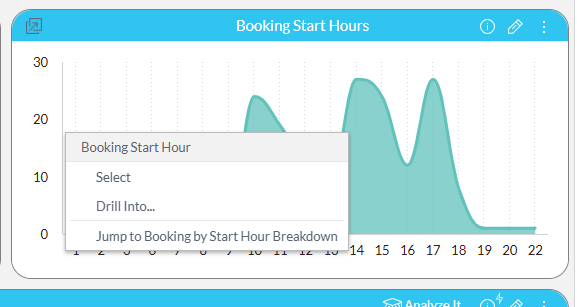
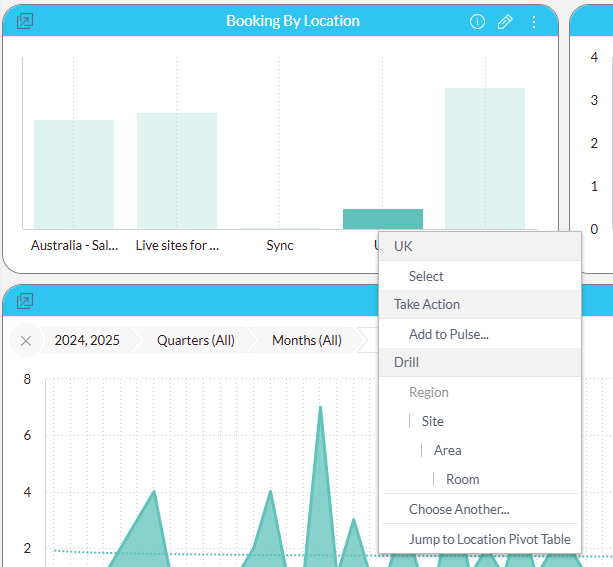
Previously, users were limited in what metrics they could use to drill down.
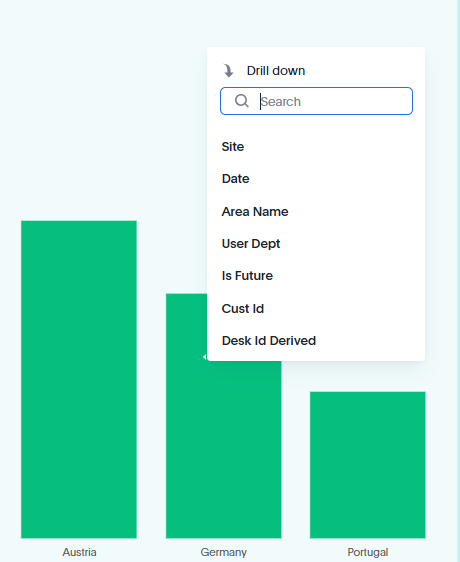
After the update, you can drill down using any parameter for any visualisation by right-clicking on any data point or category and selecting the variable you’d like to use.
Previous
Upgrade
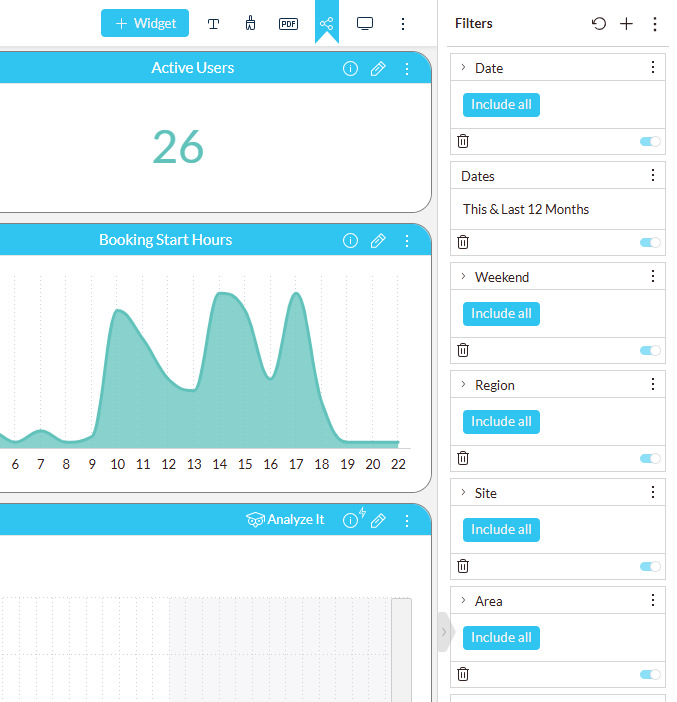
Filters will now appear at the top of the dashboard whereas previously these were on the right-hand-side.
Previous
Upgrade
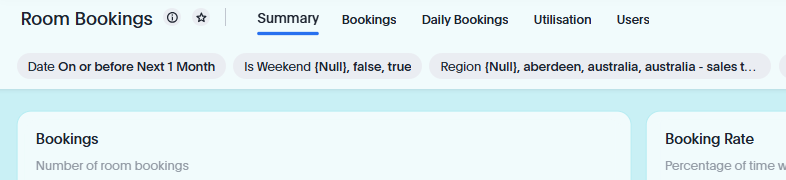
The upgraded analytics platform will allow us to expand on our list of features, to help you get to crucial insights quicker and easier
We’ve provided a simple guide to help you get started with the updated platform.
If you need further support, please contact Hello@cloudbooking.com
Accessing Workplace Analytics
The way you access the Workplace Analyics plaform has not changed.
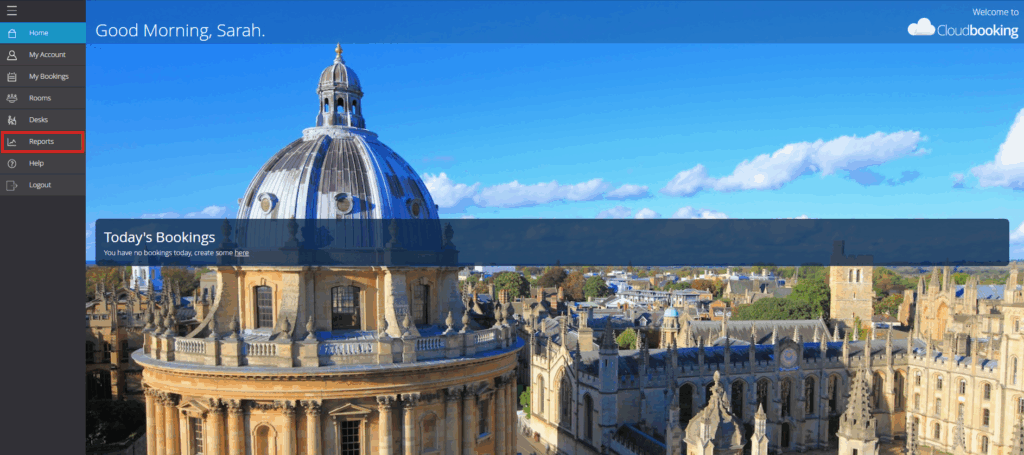
Firstly, log into your Cloudbooking account via your Portal URL and select ‘Reports’ from the menu on the left.
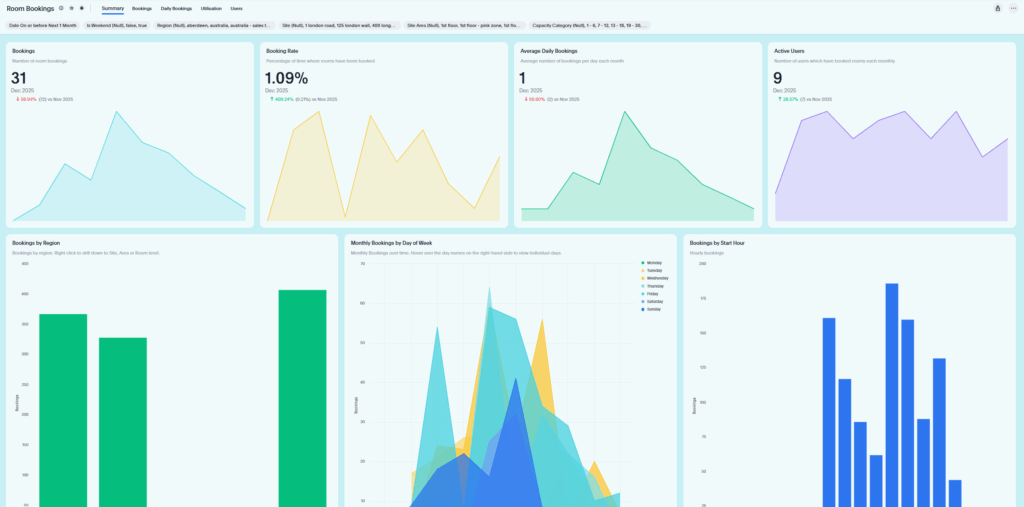
From the Reports screen, select the desired Dashboard from the drop down menu on the right hand side.

The dashboard will now be displayed.
Refining Results
Use filters to narrow results:
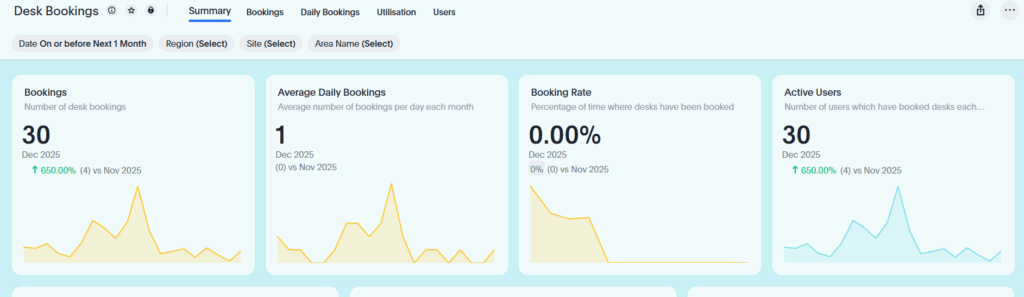
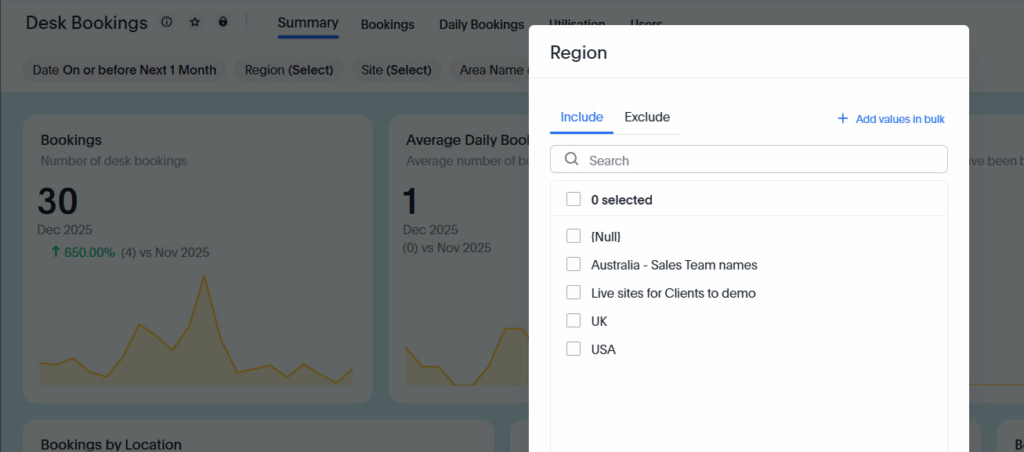
- Add filters like dates, regions, or departments.
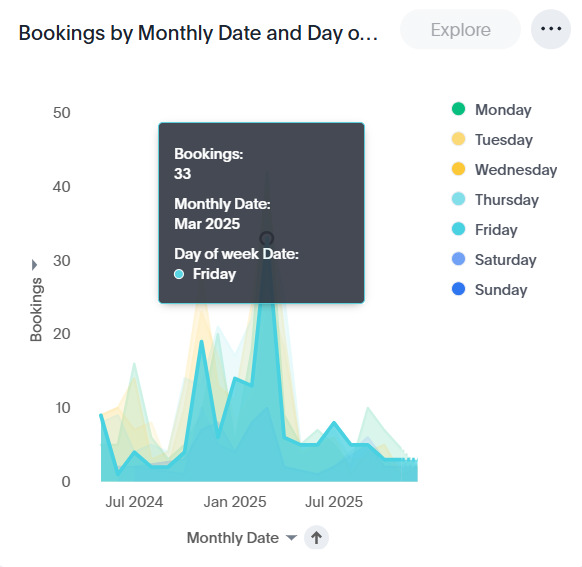
- Adjust chart types (bar, line, pie, table).
- Sort or drill into data by clicking values.
Saving Answers
If you want to reuse a search:
- Select Save.
- Name your answer.
- Choose a location to save it.
- Saved searches are called Answers.
Favouriting Content
Select the

icon on an Answer or Dashboard to add it to Favourites.
Access favourites quickly from the home screen.