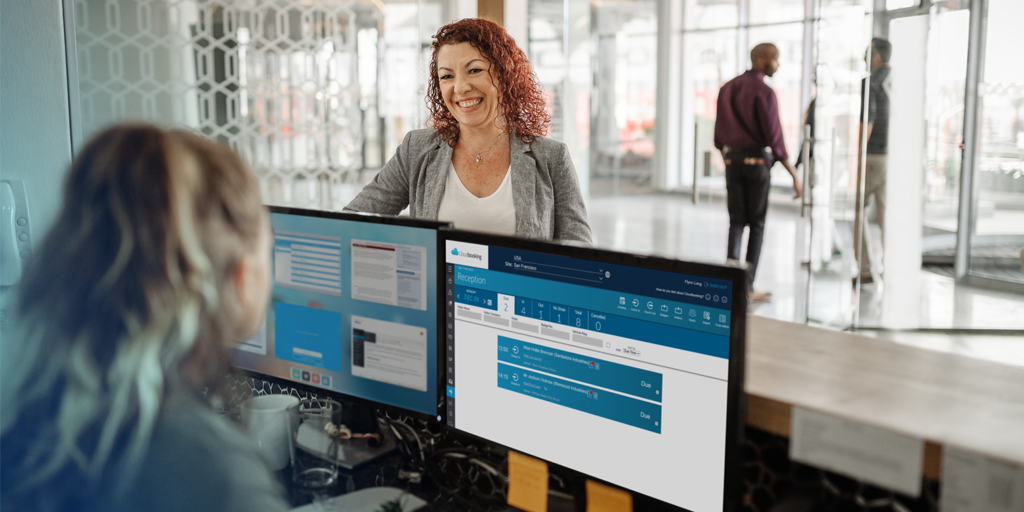
Desk booking is a system that allows employees to reserve a desk in advance, usually through a web portal, mobile app or integrated tool like Microsoft Teams.
That’s the literal definition.
In reality, desk booking is what stops a hybrid or flexible office from turning into a guessing game.
If desks are shared and attendance varies by day, you either manage it properly or you leave it to chance. Desk booking is the “manage it properly” option.
Why Desk Booking Exists
Hybrid working has made office attendance unpredictable. On any given day, some employees are remote, others are in the office and team attendance varies by role or workload.
If desks are shared, organisations need a way to:
• Prevent overcrowding
• Ensure fair access to space
• Understand actual demand
• Avoid underused desks
Without a booking system, shared environments often rely on informal rules or first-come-first-served behaviour, leaving organisations with an approach that rarely scales in practice. It might work for 20 people, less so for 200.
Desk booking exists to bring structure to shared space. It lets employees see availability before they travel in and lets facilities teams see demand before it becomes a problem.
How Desk Booking Works
At its simplest, desk booking is a reservation system. Employees log in, check availability, pick a desk and confirm the date.
Behind that simplicity sits policy control. Organisations can apply rules around who can book where, how far in advance bookings can be made and whether certain spaces are restricted or prioritised.
Plus, there are numerous check-in techniques usually available, ensuring space is used correctly and that usage data is gathered, later helping to inform estate decisions.
The point isn’t to overcomplicate attendance, it’s to remove uncertainty and give it strategic value.
Related Reading: Four Day Work Week: The Future of Work?
What’s the Difference Between Desk Booking and Hot Desking?
These two terms are often used interchangeably, but they’re not the same despite sharing similarities.
Hot desking is a seating model where desks are shared and it’s come as you go.
Desk booking is the system that makes hot desking workable at scale by introducing reservations and desk assignments.
You can hot desk without a booking system, but it usually results in friction:
• Employees arriving early to secure space.
• Desks left unused because someone “might” return.
• Teams scattered unintentionally.
• Inability to gather usage data.
Booking removes the grey areas. If you’ve reserved a desk, it’s yours for that time. Simple.
What’s the Difference Between Desk Booking and Desk Assignment?
Now these two terms should never be used interchangeably as their completely different in action.
Simply put, desk assignments allocate specific desks to individuals or roles permanently or semi-permanently.
Whereas Desk booking allows desks to be reserved dynamically, so you book space when you need it.
Many organisations use a combination, with assigned desks for certain roles and bookable desks for the wider workforce. The right mix depends on policy and operational needs.
What Problems Does Desk Booking Solve?
At a practical level, desk booking prevents more people arriving than there are desks available.
It’s also important to highlight that desk booking also reduces invisible waste. When you can see booking patterns, cancellations and no-shows, you get a clearer picture of actual demand rather than assumed demand, which leads to better space usage overall.
Plus, it goes without mention that desk booking also supports workplace policy too. If certain areas are restricted or prioritised, the system enforces that consistently rather than relying on someone sending reminder emails.
And yes, it improves employee experience. Nobody enjoys commuting in just to wander around looking for somewhere to sit.
The real value isn’t just the booking itself, it’s the predictability, added flexibility and data.
Is Desk Booking Only for Hybrid Offices?
Short answer, no. While desk booking became mainstream during the shift to hybrid working, it is also used in:
• Fully flexible offices
• Co-working environments
• Public sector estates with shared facilities
• Organisations consolidating office space
• Teams operating across multiple sites
Any workplace where desks are shared or limited can benefit from structured booking.
What Features Should Desk Booking Software Include?
If you’re evaluating desk booking tools, certain capabilities matter more than others. As such, you should ideally be looking out for:
• Live availability visibility
• Interactive floor plans
• Booking rules and permissions
• Check-in and auto-curtailing
• Clear reporting dashboards
Without reporting, desk booking becomes operational only. With reporting it becomes much more strategic, giving opportunities around:
• Reducing unused space
• Adjusting layouts
• Aligning office capacity with real demand
Final Thoughts
So if it wasn’t clear yet desk booking isn’t exactly about controlling where people sit, it’s more about managing shared space in a way that supports flexibility without creating chaos.
Offices are no longer static environments in 2026 with fixed seating and predictable attendance. They are much more likely today to be dynamic spaces with variable demand.
Considering this, desk booking provides a mechanism to allow organisations to operate efficiently within that reality. It creates structure where there would otherwise be guesswork and it provides data where there would otherwise be assumptions.
In short, desk booking is how modern offices remain flexible without becoming disorganised.
Unsure how to get started with desk booking? Take a look at our case studies or get in touch today. We know a thing or two about helping build adaptive workspaces after all.